Challenge 1
Base-mapping campus differently
| Assigned | Due | Submit |
|---|---|---|
9/1/26 |
9/8/26 |
Before you proceed, don’t forget to create a workspace for this assignment! You probably don’t need me to keep banging this drum but I am going to do it anyway. I recommend saving your ArcGIS Pro project something like challenge01_alt-campus-map and saving it under \\hemisphere\geopower\students\GEOG248\yourname.
Challenge scenario
Imagine that a number of geographers and cartographers—including you—have been commissioned by the Bonner Center for Civic Engagement (CCE) to make a map for a group of people visiting UR’s campus for a large event. The visitors are a mixture of community members, past alumni, current students, and prospective attendees. CCE has asked for “different” maps of campus, which highlight the perspectives of current students. They have intentionally left their specifications flexible, and welcome maps that highlight anything from civic issues on campus to individual memories and experiences. What will you hand over?
An ode to basemaps
Basemaps are one of the big unsung heroes of cartography. I love basemaps! They are very selfless. A good basemap orients without overstimulating and emphasizes without overexplaining. A good basemap touches on all five principles of cartography that we discussed in class—scale, selection, emphasis, symbolization, generalization—and if its designed correctly, you won’t even really notice it. Unless, like us, you are looking for it.
As best I can tell, the University of Richmond publishes two campus maps: an interactive map by Concept3D, and a realistic printable version with similar styles:
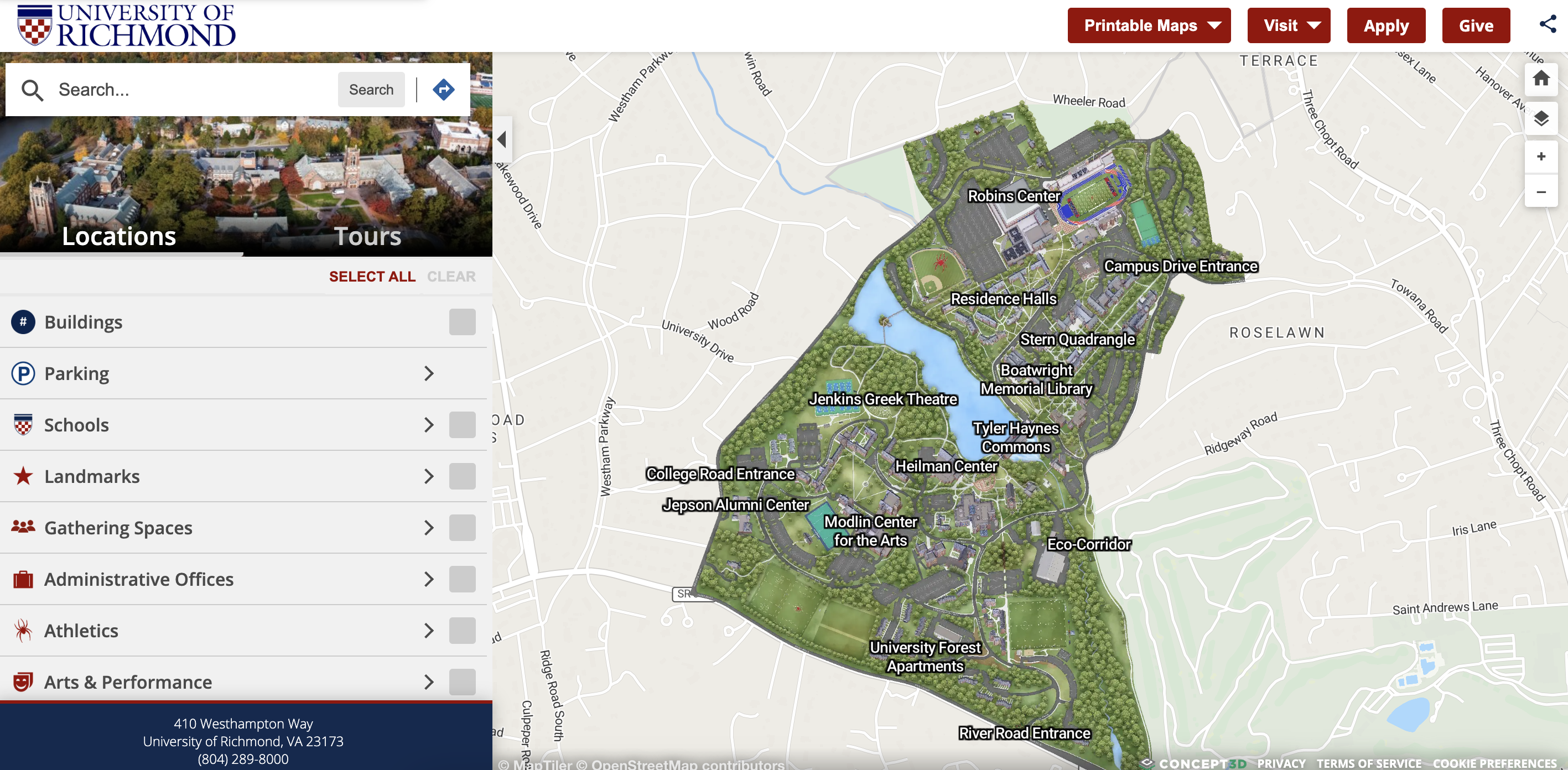
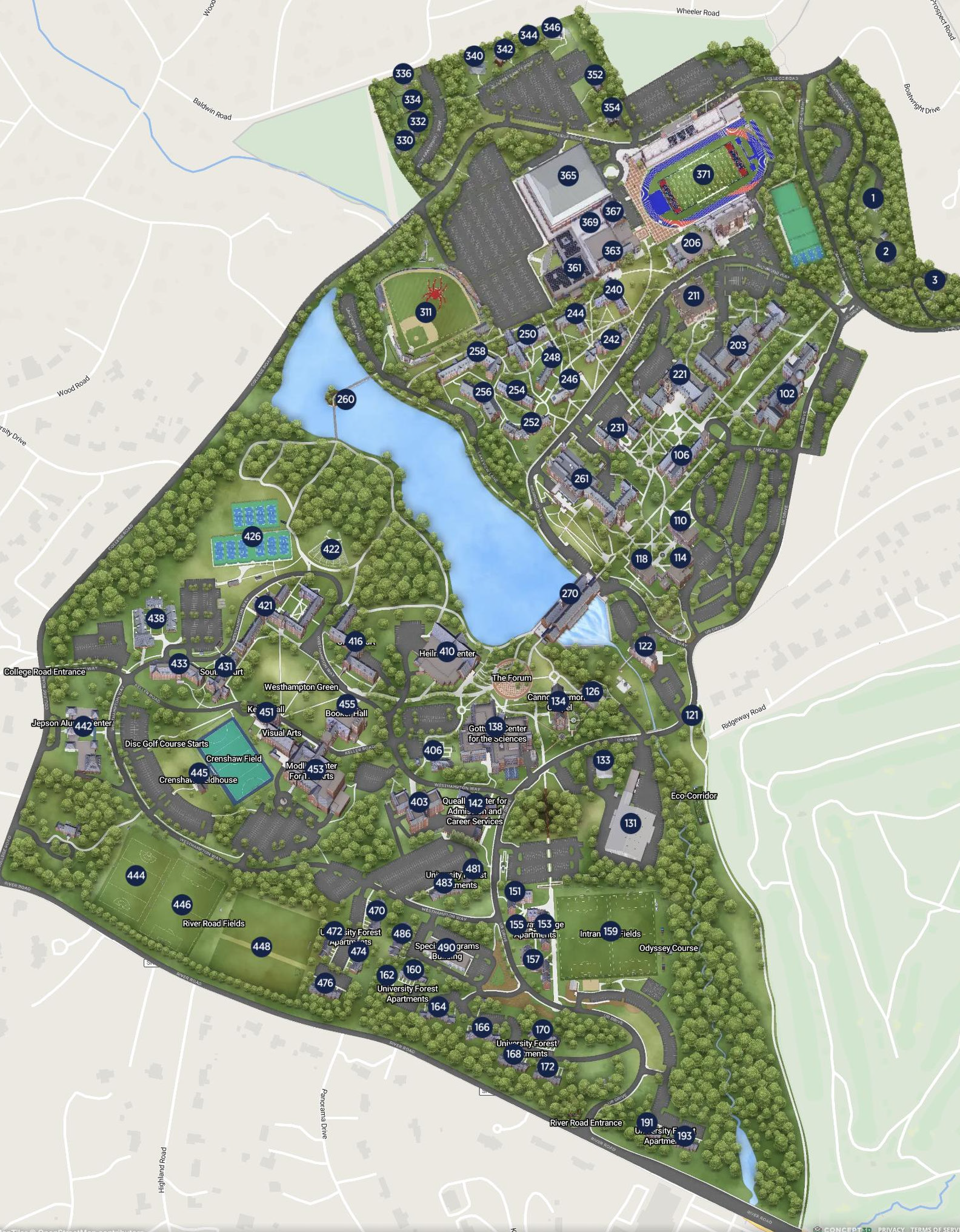
While both maps are nice, I wouldn’t call either of them a particularly compelling basemap. In this challenge, following on our lecture/conversation from Tuesday, you will create an alternative campus map for the University of Richmond—one that presents different view of space and place on campus. In the commission of this challenge, you will make a great basemap for UR’s campus, using a lot of the spatial data that is maintained by the SAL.
What is an alternative campus map?
To get a better sense of what I mean by “alternative campus map,” read pages 1-7 of this paper by Mapes and Spence (2026) about mapping universal restrooms on the Kent State University campus. You can read more than pages 1-7 if you want—it’s a great paper—but the sections leading up to “Winding Routes, Locked Doors” are most relevant for us at the moment. (Note: Kent State commissioned a campus map from the same mapping company as UR, so there’s some extra crossover appeal to this reading.) As you read the paper, consider:
- What features (people, places, memories, moments, landscapes, etc.) are typically included in campus maps of the University of Richmond?
- What features are not reflected in UR’s official campus map?
- In an alternative campus map, which of those features from each category would you select for inclusion?
- What design choices would help emphasize those features?
Data
Your final map should include most of the following datasets, symbolized in a subtle, base-mappy style of your making. You can, of course, draw heavily on existing basemaps for inspiration (even copying exact colors and symbologies!).
Campus basemap data
Download each dataset by clicking the links below and save them to your hemisphere workspace. The first four links are available as feature services from the SAL’s ArcGIS Hub page, so you can either (1) load them in your project as feature services or (2) download them as shapefiles. The fifth link is a zipped geodatabase containing 7 feature classes that I found in \\hemisphere\geopower\public\DATA\CampusData, three of which are suffixed with _REQUIRED to indicate that you must include them in your basemap:
- Campus boundary
- Campus tree inventory
- UR buildings
- Walkways
- campusBasemapData.gdb.zip (this will begin downloading when you click the link—when it downloads, unzip it and move it to your project workspace)
Altogether, your basemap should include 7 feature classes, symbolized according to best principles of cartographic design.
When I pulled the Walkways feature service into ArcGIS Pro, I couldn’t get it to render. Not sure why. Downloading it as a shapefile worked fine… just a heads up.
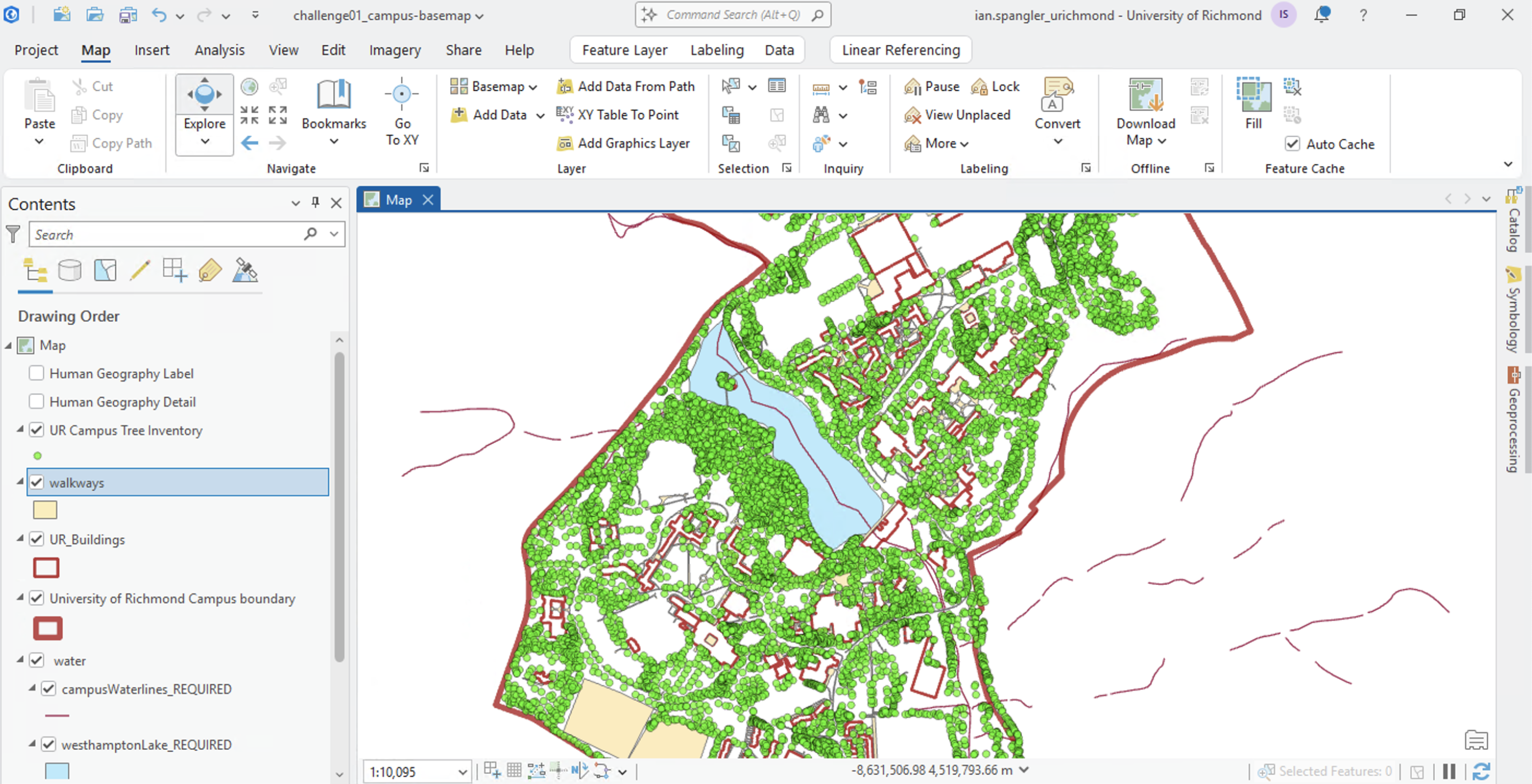
How will you improve these features, blending them together into a cohesive basemap? I won’t overdo it on style guidance here, but I do want to share a few resources on basemap style with you.
Standing on the shoulders of giants
First, lots of cartographers write about their process in blogs online, sometimes on their own and other times for their employers. You can learn so so much from these people who write about their process, for instance:
- John Nelson (Esri), whose blog Adventures in Mapping goes back over 10 years
- Meghan Kelly (Syracuse University), whose personal website includes a glimpse into her professional mapmaking as well as her intellectual contributions to the fields of feminist mapping and critical cartography
- Andy Woodruff (Freelance cartographer, formerly Axis Maps), whose personal blog also goes way back; Andy’s “National Park” map is an inspiration for our first lab in this class
- Tim Wallace (New York Times) is a geographer and the senior editor at NYT focused on geography. You can check out his bylines for work samples, as well as his previous collaborations with the aforementioned Andy Woodruff at their joint blog, Bostonography
- Riley Champine (UR’s Digital Scholarship Lab) will visit our class in a few weeks to talk about his experience working as a cartographer at National Geographic for 5+ years
- These maps from the Wild Migrations atlas took a big team to assemble, including the aforementioned Riley and another amazing cartographer, Lauren Tierney, who has worked at The Washington Post and made tons of other amazing graphics/maps (she now works as a Senior Product Manager for Esri)
- Sarah Bell (Park Ranger, Esri) has written lots of great stuff for Esri’s blogs
- Dan Coe (freelance cartographer), whose work has been broadly features in media and print publications and whose river mapping tutorials may be featured in our GIS day this year
- Axis Maps has a great blog with pieces like this one from David Heynan, which documents how he designed a digital map—and gets into important cartographic concepts like visual hierarchy and visual variables
- MapRVA is a group of geospatial enthusiasists here in Richmond. They make really cool maps, including this one about the city’s 2025 water crisis (by Daniel Schep and Jacob Hall)
- Lastly, the North American Cartographic Information Society (NACIS) has an extraordinary YouTube archive of past talks and presentations, including stuff from their “Practical Cartography Day” (the videos are sorted into playlists as well)
This is a teeny tiny slice of the resources at your disposal for thinking about cartographic design. And the best part about these people, by the way, is that they are just people! If you have a question about their work or if you love their maps, you could email them and say that you like their work and they would probably respond to you.
Style guidance in ArcGIS
Second, I do want to get you started with symbolizing the basemap. I’m just going to walk through how I’d begin symbolizing the trees and water, and then you can take it from here.
UR Campus Tree Inventory
Let’s deal with this first because it is so big!
- In the layer’s symbology, do “Unique Values” >
Leaf_Type> pick colors that make sense for each leaf type and bump up the size using “More” > “Format all symbols” - How does one “pick colors that make sense for each leaf type,” you ask? For my part, I found a hex code for forest green on the internet and then played around from there (in my map, I made one tree group orange just for texture)
- Click the “Vary symbology by attribute tab”, just to the right of “Primary symbology”
- Set the field to
Height_meters> Check “Enable size range” > try a min of4and max of12 - Play around with transparency on each feature and with layer/feature blending in the “Effects” group of the “Feature Layer” tab
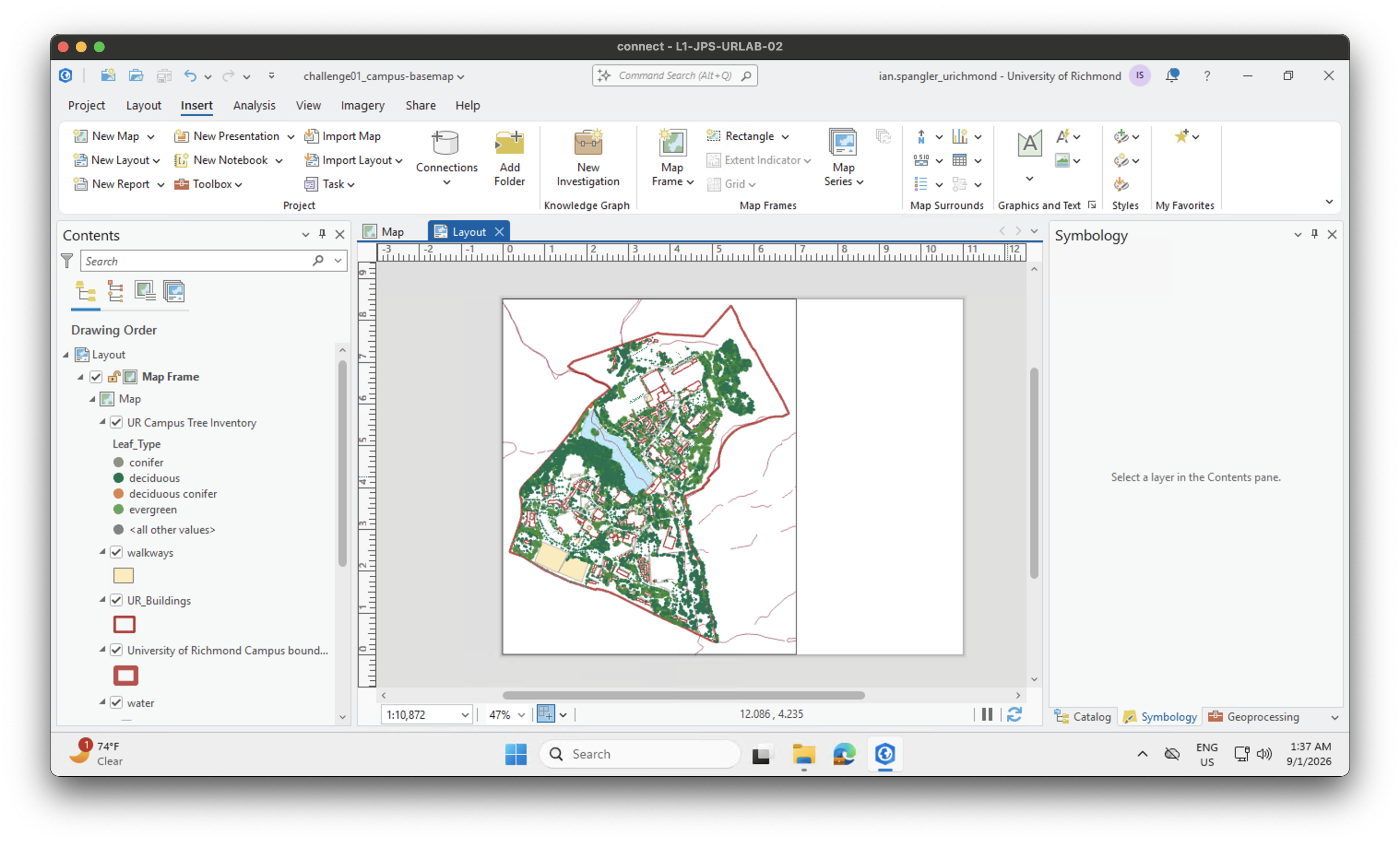
It’s never too early to start looking at your map in the layout view. I actually found that feature blending wasn’t helpful and I bumped the min/max range to 2-8 because otherwise the campus was all trees. For now, I think this looks solid, but I’ll probably go back in later and make those greens way more gentle:
Water
I’m folding up my trees layer and shifting gears to water:
- Because there are a few water layers of different types, I grouped them.
- Most important thing here is to pick a blue that works for you. I tried a few and for now settled on
BEE8FF, which I’ll copy and paste to mywaterlineslayer - Some water line data has values for size (categorical or quantitative) so we could vary the lines by flow magnitude or some such, but in this case we don’t so I’m just doign
1 ptthickness for everything
Your places of interest
In addition to the basemap data above, your map should contain at least 5-10 areas or places of interest (POIs).
- These could be in any data format—points, lines, polygons, raster, whatever—and they could be rendered/processed from an already-existing dataset or The only data requirement here is that you have 5-10 discrete POIs (and if you are uncertain about what counts as an POI, ask me!).
- For my POIs, I used a neat dataset of nearly 600 memorials across campus that I found in
hemisphere. It includes things like plaques, gardens, and benches, with a field for their condition, which is what I mapped. - Your basemap should be designed so that the POIs really shine. You may approach this differently based on the type of POIs that you want to highlight. Maybe they are your memories of campus.
Example map
Because I knew that a mixture of alumni and potential students would be in attendance, I wanted my map to highlight something that might speak to their interests, but also invoke the kind of civic engagement that is prized by CCE (and practices by so many students at UR). I went for a pastel-ish map that has a nostalgic feel to it, almost sepia tones in some parts, to match the content of the POIs: this map plots a subset of points from the memorials dataset, configuring it as a call to action for the campus community to consider how they can participate in repairing damaged memorials on campus.
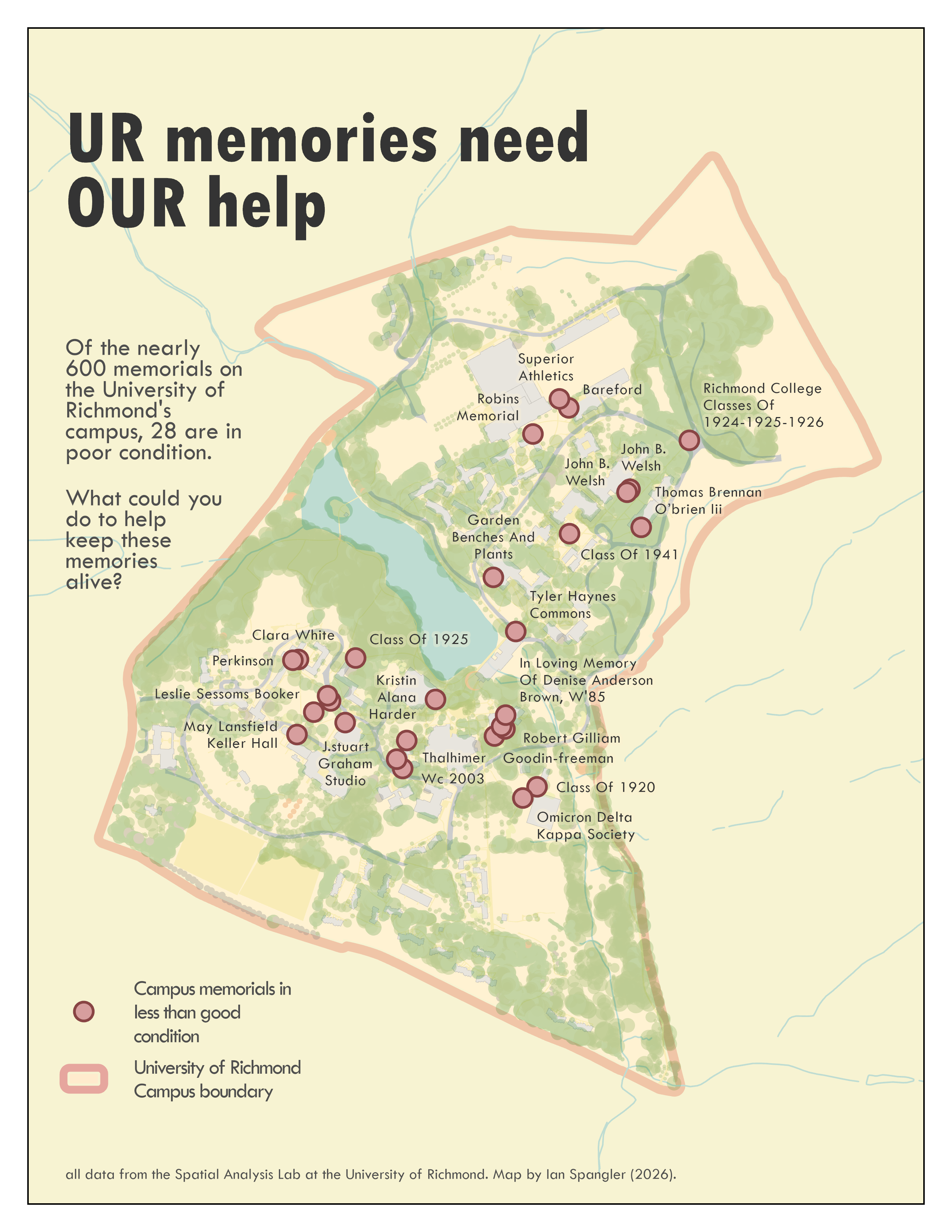
As you can see from my map, there are plenty of things that I would love to change if I had more time, like the transparency overlaps between water features, campus boundary, and trees. I’d also probably clip the waterlines to the campus boundary, and I might add some gentle background features (like roads and buildings) to the spaces outside of campus. I also didn’t include labeles on the basemap… but you will need to do that in your maps!
Requirements and deliverables
| Assigned | Due | Submit |
|---|---|---|
9/1/26 |
9/8/26 |
Your final map, imagined as a commission for the CCE, should include the following:
- The 7 data layers outlined above, symbolized as a basemap
- 5-10 POIs (you can have more if you want)
- A title
- A legend
- Some labels on both the base map and the POIs (up to you what gets labels)
- Explanatory text on the final map
- Cartographer information (your name, date, class)
- Data sources